

AI Projects for College Students With Source Code
Build your portfolio with hands-on artificial intelligence projects for college students featuring complete source code and clear deployment guides.
 Nitesh Roy
8 min read

Key takeaways
- Build AI projects on GitHub to showcase active coding skills.
- Use Python and OpenCV for beginner computer vision systems.
- Implement text classifiers using NLTK and Pandas for NLP tasks.
- Find clean datasets easily on Kaggle and the UCI repository.
- Document your code thoroughly with a professional README file.
On this page
Quick Summary
- Discover practical artificial intelligence projects for college students with source code to build real-world skills.
- Learn how to choose, code, and deploy computer vision and natural language processing applications using Python.
- Find out where to source clean datasets and how to structure your GitHub repository to impress future employers.
If you are staring at a blank screen wondering how to turn your coding lectures into an actual portfolio, you are in the right place. Building artificial intelligence projects for college students with source code is the absolute best way to bridge the gap between passing exams and actually knowing how to write production-ready machine learning code. Let us walk through some concrete project ideas you can build this weekend.
Why build open-source AI projects during college?
Bridging the gap between theoretical classroom knowledge and practical coding skills
Universities are great at teaching the math behind gradient descent, linear algebra, and probability distributions. But when you sit down at your desk to solve a real-world problem, all that theory needs to translate into clean loops, imported libraries, and working APIs. When you work on machine learning projects for students with github, you stop memorizing equations for a grade and start understanding how models actually behave when fed messy, real-world data. You will run into shape mismatches, missing values, and overfitting firsthand—problems that no textbook whiteboard can fully prepare you for.
Demonstrating active coding capabilities to future employers through GitHub repositories
Recruiters rarely care about a bullet point on your resume that simply says “Python, 3 years.” They want to see what you have actually built, how you organize your directory structure, and whether you write readable commit messages. Having a few final year ai projects with source code pinned to your profile gives technical hiring managers undeniable proof of your capabilities. It shows you know how to clone a repository, manage virtual environments, and push code that works outside of a controlled school lab environment.
What beginner-friendly computer vision projects can you code?
Using OpenCV and Python for real-time face detection systems
Computer vision sounds intimidating until you write your first fifty lines of OpenCV code. A classic beginner project involves capturing live video from your laptop webcam and running a Haar Cascade classifier to draw bounding boxes around human faces in real time. You will learn how to handle video streams frame by frame, convert color spaces from BGR to grayscale, and tweak confidence thresholds. To expand your skills further, you can explore structured foundation internship programs that guide you through building end-for-end computer vision applications.
Building a simple image classifier with pre-trained convolutional neural networks
Training a deep learning model from scratch requires massive compute power and hours of waiting. Instead, you can leverage transfer learning using popular libraries like TensorFlow or PyTorch. By taking a pre-trained model like ResNet or MobileNet and fine-tuning the final classification layer, you can build an app that categorizes dog breeds, food dishes, or plant species using your own custom image dataset. This teaches you how weights, layers, and activation functions work together without burning out your laptop graphics card.
How to implement natural language processing applications
Creating a rule-based chatbot using Python and NLTK
Long before large language models took over the internet, developers built conversational agents using pattern matching and regular expressions. Building a rule-based chatbot using the Natural Language Toolkit (NLTK) is an amazing way to grasp tokenization, stemming, and lemmatization. You define intents, set up keyword triggers, and program fallback responses for when the bot gets confused. It is simple, runs entirely locally, and teaches you how raw text gets parsed into structured data that a program can interpret.
Developing a sentiment analysis tool for product reviews
Text classification is a staple of modern data science. You can build a sentiment analyzer that reads customer movie reviews or e-commerce feedback and labels them as positive or negative. By vectorizing text using TF-IDF or simple word embeddings, you can train a Naive Bayes or Logistic Regression classifier to spot emotional cues in language. This project introduces you to the end-to-end data pipeline: cleaning text strings, removing stop words, splitting training sets, and evaluating model accuracy using confusion matrices.
Where to find clean datasets for student machine learning models
Leveraging Kaggle and UCI Machine Learning Repository effectively
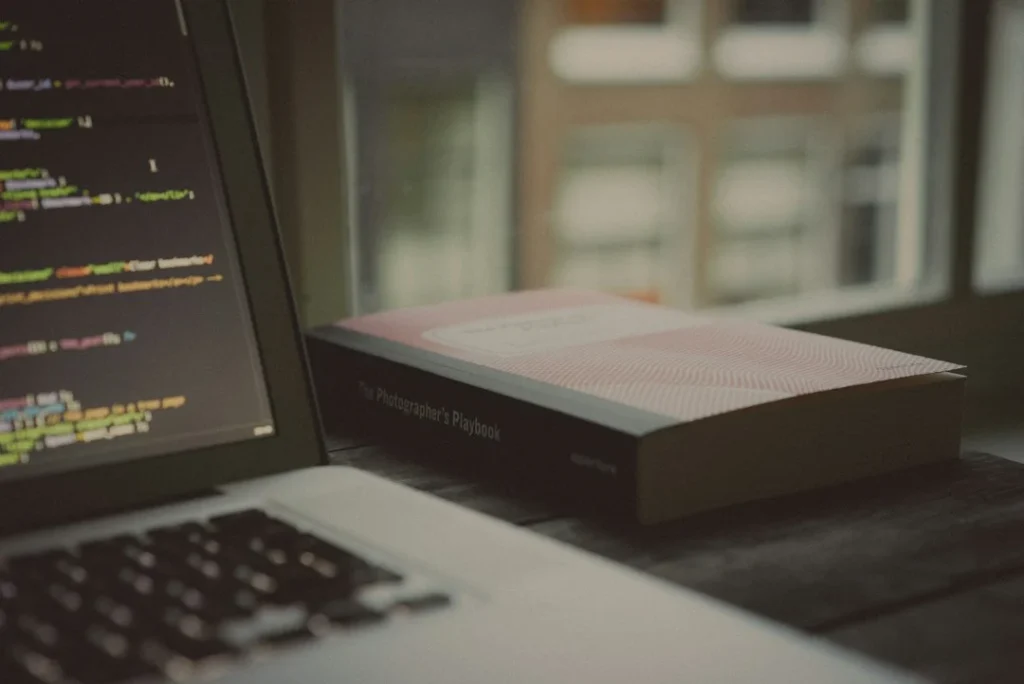
Finding the right data is often the hardest part of building any machine learning application. Fortunately, platforms like Kaggle and the UCI Machine Learning Repository host thousands of pre-vetted, community-rated datasets covering everything from housing prices to global weather patterns. When searching for python ai projects for beginners with code, always check the dataset metadata to ensure the file format matches your intended preprocessing workflow and that the data license permits personal or academic use.
Cleaning and formatting raw CSV or JSON data for model training
Real data is notoriously messy, filled with null entries, inconsistent date formats, and accidental string typos. Before feeding any dataset into a machine learning model, you must master basic data wrangling using the Pandas library. You will write scripts to drop duplicate rows, impute missing values using median or mean calculations, and normalize numerical columns so your model does not give unfair weight to large input values. Getting comfortable with this cleaning phase separates hobbyist scripts from robust applications.
How to showcase your completed AI project on GitHub
Writing a comprehensive README file with clear installation instructions
A repository with zero documentation is practically invisible to someone reviewing your code. Your README file should act as the front door to your project, explaining what problem it solves, how it works, and why you built it. Include step-by-step installation instructions detailing how to clone the repo, set up a virtual environment, install dependencies from a requirements.txt file, and execute the main Python script.
Structuring your repository professionally with modular script files
Avoid dumping all your code into a single massive Jupyter Notebook file. Instead, organize your project into logical directories: place raw data in a data folder, trained weights in a models directory, and reusable helper functions in a separate utils script. This modular design makes your repository look professional, simplifies debugging, and allows other developers to easily read and contribute to your codebase.
Step-by-Step Implementation
- Do this: Set up a dedicated Git repository on GitHub and clone it locally to your machine so you can track your progress from day one.
- Do this: Create a Python virtual environment and install essential packages like NumPy, Pandas, Scikit-Learn, and OpenCV using pip.
- Do this: Download a clean, manageable dataset from Kaggle or the UCI repository and save it inside your local project directory structure.
- Do this: Write a data preprocessing script using Pandas to handle missing values, normalize numerical features, and split the data into training and testing sets.
- Do this: Train your machine learning model or load your pre-trained computer vision or NLP model within a clean Jupyter Notebook or Python script.
- Do this: Evaluate your model using appropriate metrics like accuracy, precision, recall, or mean squared error to check its real-world performance.
- Do this: Document your workflow, setup steps, and usage examples clearly inside a comprehensive README file before pushing your final code to GitHub.
Frequently Asked Questions
What programming language is best for student AI projects?
Python remains the undisputed industry standard for artificial intelligence and machine learning development. Its vast ecosystem of libraries like TensorFlow, PyTorch, Scikit-Learn, and NLTK makes writing complex algorithms far more accessible than in almost any other language.
Do I need an expensive GPU to build AI projects?
Not at all. For beginner projects involving tabular data, simple linear regression, or basic NLP classifiers, your standard laptop CPU is more than enough. For heavier deep learning tasks, you can use free cloud execution environments like Google Colab.
How can I make my AI project stand out on my resume?
Instead of copying standard tutorial projects word-for-word, try modifying the dataset to solve a local or personal problem. Document your development journey clearly in your GitHub repository and include a short video demo showing your application running live.
Where can I find open-source code for AI projects?
GitHub is the best place to explore thousands of open-source artificial intelligence repositories shared by developers worldwide. Always review the license file attached to a repository to understand how you are permitted to use, modify, or share the code.
Next Steps
Pick one manageable project idea from this guide, download a clean dataset, and write your very first preprocessing script today. Check out our VELYON Insights – Blog & Knowledge Hub for more technical tutorials, career guides, and hands-on coding walkthroughs to level up your portfolio.
Photo by Arcade Arena on Unsplash · Photo by Ehud Neuhaus on Unsplash
Build your career with VELYON
Related reading
 Freelancing & ProjectsAI Automation Projects for Beginners to Build & Showcase9 min read · November 7, 2026
 Freelancing & ProjectsPredictive Analytics Project: Build a ML Model7 min read · November 7, 2026
 Freelancing & ProjectsReal-World Machine Learning Applications for Student Projects7 min read · November 7, 2026
