

What Is Vibe Coding and How to Build Websites With AI
Master vibe coding to build fully functional websites using natural language prompts, bypassing traditional software development hurdles.
 Nitesh Roy
8 min read

Key takeaways
- Build websites without writing syntax by using plain English instructions.
- Direct AI models through conversational prompts to shape your web design.
- Test your generated pages locally before publishing them to the web.
- Deploy your projects easily using modern cloud hosting platforms.
On this page
Have you ever wanted to build a custom website without memorizing endless lines of HTML or CSS? What Is Vibe Coding and How to Build Websites With AI explains how everyday creators are launching fully functioning pages simply by chatting with intelligent systems. Instead of fighting with syntax errors, you can now direct software development through plain English instructions and watch your vision come to life.
What is vibe coding and why is it changing web development?
Shift from writing syntax line-by-line to directing AI models through conversational instructions
For decades, building a website meant sitting down with a text editor and typing out tags, brackets, and semicolon-heavy programming languages. One missing character could break your entire layout. Today, the game has fundamentally changed. You no longer need to translate your creative ideas into rigid machine syntax. Instead, you focus purely on the creative direction, describing what you want your site to look like while a smart assistant handles the heavy lifting behind the scenes.
Think of it like working with a professional developer who never sleeps. You provide the vision, critique the results, and ask for adjustments in normal human conversation. This method of coding with natural language turns software creation into an interactive feedback loop. You shape the project by talking through design choices, feature updates, and layout tweaks just as you would with a human colleague.
Democratization of software creation for non-technical creators and domain experts
You do not need a computer science degree or years of bootcamps to build useful digital tools anymore. Vibe coding lowers the barrier so far that anyone with a clear idea can bring it to the browser. Domain experts, graphic designers, writers, and small business owners can now build functional web applications without writing a single function by hand. This shift opens up prompt based web development to millions of people who previously relied on expensive developers or rigid template builders.
When technical hurdles disappear, you can focus entirely on solving real problems for your users. Whether you want to launch a portfolio, an interactive landing page, or a custom blog, the power to create is now directly in your hands. If you want to explore practical applications of these modern workflows, check out our WordPress Vibe Coding & AI Web Development – Foundation Internship Program to learn hands-on creation techniques.
What tools do you need to start vibe coding websites?
Choosing between agentic coding environments and chat-based code generators
Starting your journey requires picking the right digital workspace for your skill level. Chat-based code generators let you copy and paste snippets back and forth, which works fine for small landing pages. However, agentic coding environments can read your entire project folder, create files automatically, and run commands for you. Using a dedicated tool makes building websites using LLMs much faster because the assistant has full context of your project structure.
Many modern developers prefer integrated setups where the AI lives directly inside the code editor. This setup allows the assistant to see your errors in real time and fix them without you having to copy anything manually. Experimenting with different tools helps you find a workflow that matches your personal working style.
Setting up API keys and development workspaces
Before you start generating code, you need to connect your workspace to a large language model provider. This usually involves grabbing an API key from an AI platform and pasting it into your editor or web application. Once your keys are active, your chosen environment can communicate seamlessly with the model, enabling smooth AI-assisted website development right from your local machine.
Keep your API keys secure and never share them publicly online. Most beginner platforms guide you through this setup process with clear visual prompts, meaning you will be ready to start building within a few minutes of installation.
How to structure your first prompt for a website project
Defining site architecture, color palettes, and user experience flows in plain English
Your AI assistant needs clear context to build a website that matches your expectations. Vague instructions lead to generic results, so specificity matters. Start your project by outlining the site architecture, preferred color palettes, and the intended user journey in rich detail. Tell the model who your target audience is and what action you want visitors to take when they land on your homepage.
You can describe sections like a hero banner, a features grid, customer testimonials, and a footer in simple paragraphs. Giving the model a strong sense of your brand identity ensures the resulting layout feels cohesive and professional rather than random.
Iterative prompting strategies to refine layouts and add interactivity
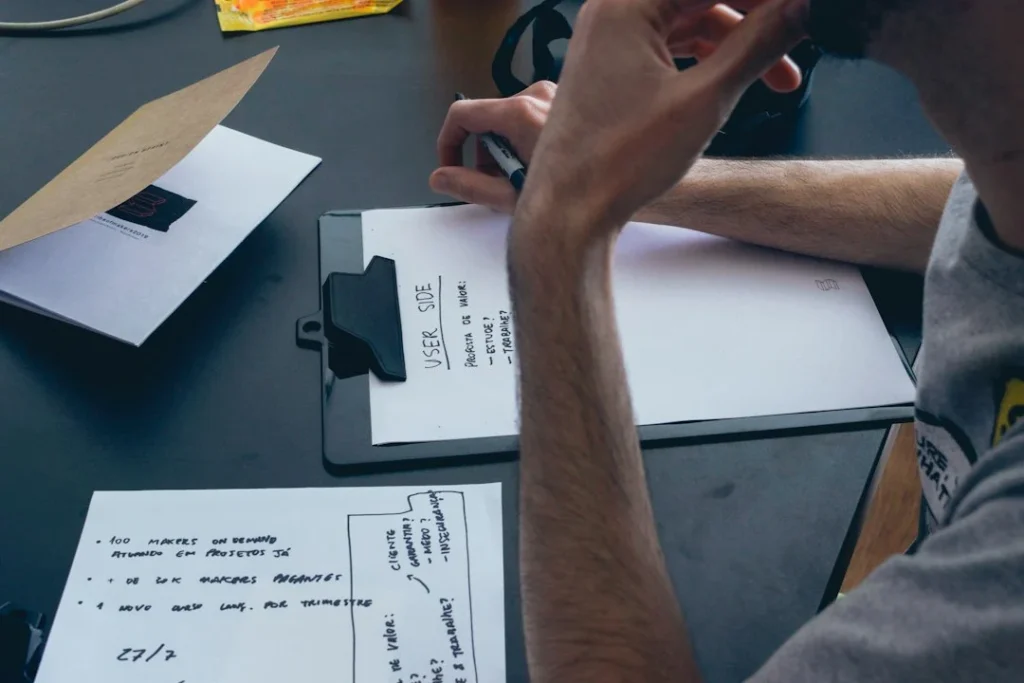
Never expect your very first prompt to produce a flawless website. Vibe coding relies on a back-and-forth dialogue where you review the output and suggest improvements. If the button is too small or the spacing feels cramped, simply tell the AI to fix those specific elements. You can gradually layer in advanced features like contact forms, image galleries, and smooth scrolling animations through a series of focused, step-by-step instructions.
This iterative approach lets you steer the design in real time, making adjustments as your vision evolves. Treat the AI as an eager junior partner who gets better with every piece of constructive feedback you provide.
How to test, debug, and fix errors using conversational AI
Copying error logs directly back into the AI assistant for instant patches
Even with advanced AI tools, things occasionally break. When a script throws an error or a page refuses to load correctly, do not panic. Simply copy the error message or describe what looks broken, and paste it right back into your chat window. The model can usually diagnose the root cause and provide a corrected snippet within seconds, saving you hours of frustrating troubleshooting.
This conversational debugging loop makes learning web development much less intimidating. You get to see why mistakes happen and how they get resolved without needing to dig through complex documentation.
Running local development servers to preview and validate changes
Before pushing your site live for the world to see, you need to test it locally on your computer. Most modern coding environments let you spin up a local development server with a single click or a short command. This lets you view your website in a real browser, click through the links, and check how it looks on mobile screens.
Running local checks helps you catch layout bugs and missing images before your visitors ever notice them. It gives you confidence that your AI-generated code works smoothly in a live environment.
How to deploy your AI-generated website to the live web
Connecting your local repository to cloud hosting platforms like Vercel or Netlify
Once your website looks and functions the way you want, it is time to publish it on the internet. Modern cloud hosting platforms make deployment remarkably simple by connecting directly to your code repository. Whenever you update your files, these platforms automatically rebuild and update your live site in the background.
You do not need to mess around with complicated FTP servers or manual file transfers anymore. A few clicks are usually all it takes to push your project from your local machine onto a fast global content delivery network.
Managing custom domains and continuous updates via prompts
After your site is hosted, you can attach a custom domain name to give your brand a professional edge. The best part about vibe coding is that updates never stop. Whenever you want to add a new blog post, change your pricing, or launch a new product page, you can simply ask your AI assistant to generate the updates, review the code, and publish the changes.
This continuous improvement cycle keeps your web presence fresh and engaging with very little manual effort on your part.
Step-by-Step Implementation
- Choose your environment: Pick an AI-friendly code editor or a chat-based web builder that fits your comfort level.
- Set up your API access: Connect your workspace to a reliable language model using your secure API keys.
- Write a detailed prompt: Describe your website purpose, layout structure, color scheme, and target audience in plain English.
- Generate the baseline code: Let the AI create your initial HTML, CSS, and component files based on your instructions.
- Preview your local site: Spin up a local development server to test links, responsiveness, and visual appeal.
- Iterate and debug: Ask your assistant to refine designs, add interactive features, and patch any error logs you encounter.
- Deploy to the cloud: Connect your repository to a hosting platform like Vercel or Netlify to make your site live.
Frequently asked questions
Do I need to know how to code before trying vibe coding?
No prior coding experience is required because you build websites entirely through conversational instructions and natural language prompts.
What kinds of websites can I build with AI?
You can create landing pages, personal portfolios, small business sites, blogs, and simple interactive web applications using these methods.
Is vibe coding completely free?
While many AI tools offer free tiers, heavier usage or advanced agentic workspaces may require paid subscriptions or API usage fees.
Can I use my own domain name for an AI-generated website?
Yes, you can easily connect custom domains once you deploy your generated project to modern cloud hosting services.
Next Steps
- Set up your preferred development workspace and test your first conversational prompt today.
- Explore our VELYON Insights – Blog & Knowledge Hub for more practical guides on modern technology and digital skills.
Photo by Jahanzeb Ahsan on Unsplash · Photo by Startaê Team on Unsplash
 AI & Tech
 AI & Tech
 AI & Tech
