

Build a WordPress Website Using AI Tools Fast
Discover how to build a WordPress website using AI tools to design pages, write copy, and launch your online presence in record time.
 Nitesh Roy
5 min read
Key takeaways
- Build a WordPress website fast using AI tools without any coding background.
- Let AI generate your site structure, layouts, and wireframes in minutes.
- Draft compelling web copy and optimize your pages for better search engine rankings.
On this page
Learning how to build a WordPress website using AI tools can completely change how you approach web design. Instead of spending weeks wrestling with CSS bugs, you can spin up a fully functional site in an afternoon.
Why use artificial intelligence to build your WordPress site?
Eliminates the need for coding or complex design skills
In the past, building a custom website meant hiring a developer or spending months learning HTML, CSS, and PHP. Today, smart algorithms handle the heavy lifting behind the scenes. You simply describe what you want in plain English, and the software generates the code, layouts, and styles for you. This approach opens up web creation to anyone with an idea, making technical barriers a thing of the past.
Reduces website creation time from weeks to mere hours
Traditional web projects often drag on because of endless revisions between designers, copywriters, and clients. AI cuts through that friction by generating entire site frameworks almost instantly. You get a working skeleton with placeholder text and functional buttons in minutes instead of weeks. From there, you just tweak the details rather than building everything from scratch.
Which AI website builders work best with WordPress?
Comparing dedicated AI page builders with native WordPress plugins
When you start researching your options, you will notice two main types of AI site creators. Dedicated AI page builders create the entire site on an external platform before exporting it, while native plugins operate directly inside your WordPress dashboard. Native plugins usually offer better integration with your existing database and plugins, while standalone builders often provide slicker, faster initial generation.
Evaluating ease of use versus customization control
The biggest trade-off in AI web design is simplicity versus flexibility. Super simple tools will spit out a gorgeous site in three clicks, but you might struggle later when you want to change a specific column width or animation. If you want to dive deeper into modern site creation workflows, checking out programs like the WordPress Vibe Coding & AI Web Development foundation internship program can teach you how to balance automated speed with hands-on customization control.
How to generate your site structure and layout using AI
Prompting AI tools to design homepage wireframes
Getting a great layout starts with how you talk to your AI generator. Instead of typing vague requests like make a business site, write detailed prompts that specify your industry, target audience, and preferred visual style. Ask the tool to sketch out a homepage wireframe complete with a hero section, feature grids, customer testimonials, and a clear call to action.
Organizing navigation menus based on your niche

Your site structure dictates how easily visitors find your content. AI tools can analyze top-ranking sites in your industry and suggest logical menu hierarchies for your pages. Let the software draft your main navigation and footer links, ensuring you cover essential pages like contact forms, privacy policies, and service categories without cluttering the user experience.
How to write compelling web copy with AI content generators
Prompt engineering for brand voice and tone
Generic robot-sounding text will instantly turn visitors away from your new pages. To fix this, you need to feed your AI content generator clear instructions about your brand personality, whether that means professional and authoritative or casual and witty. Give the tool a short sample paragraph of your preferred writing style so it can mimic your exact tone across every page.
Drafting service pages, about pages, and blog posts
Writing copy for every single corner of your site can cause severe writer block. You can speed up the drafting process by asking AI to outline your core service pages, tell your founder story on the about page, and generate batch ideas for your blog. Once the raw drafts appear on your screen, spend a few minutes editing the text to add your personal anecdotes and real-world examples.
How to optimize your AI-built website for performance and SEO
Compressing AI-generated images for faster loading speeds
Sites packed with gorgeous AI-generated graphics often suffer from sluggish loading times if those image files are too heavy. Always run your visuals through compression plugins or WebP converters before publishing them to your pages. Faster loading speeds keep your bounce rates low and make both human visitors and search engine crawlers much happier.
Using AI SEO assistants to check keyword placement
Writing great content is only half the battle when you want people to find your business on Google. Modern AI SEO assistants can scan your drafted WordPress pages in real time to suggest improvements for your meta descriptions, headings, and keyword density. These smart recommendations ensure your content hits all the right ranking signals without feeling spammy or unnatural.
Step-by-Step Implementation
- Choose your hosting and install WordPress: Set up a reliable WordPress hosting account and run the standard one-click installation process to get your blank dashboard ready.
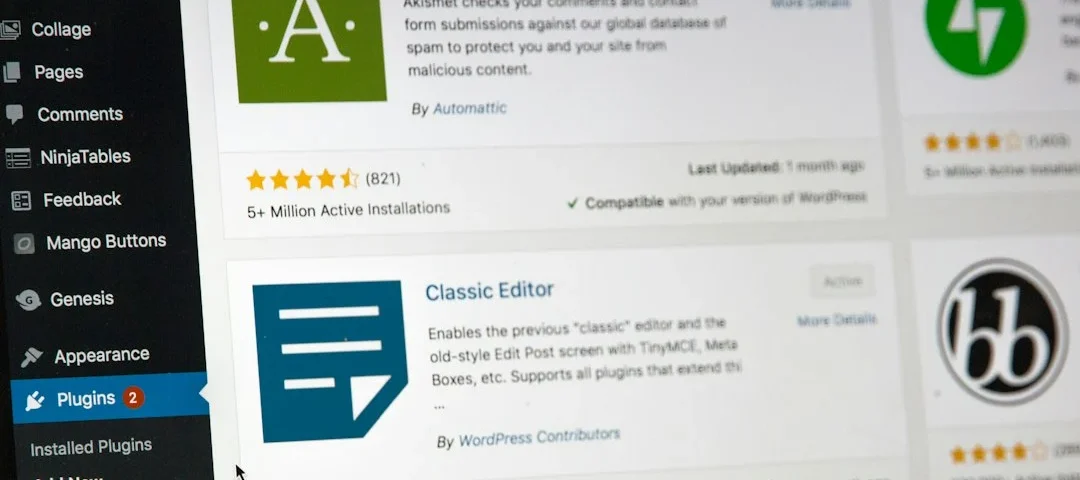
- Install an AI-powered plugin or builder: Search your WordPress plugin repository for a reputable AI site generator or connect your dashboard to a dedicated AI companion builder.
- Generate your site skeleton: Answer the setup wizard questions about your business type, color preferences, and layout style to let the AI build your initial pages.
- Refine your copy and branding: Go through each generated page to swap out placeholder text with your custom AI-assisted copy, logos, and brand colors.
- Optimize images and meta tags: Compress all site graphics and run an AI SEO check on your published pages to ensure fast speeds and clean keyword placement.
- Test on mobile devices: Preview your new site on smartphones and tablets to make sure the responsive design looks polished before sending traffic your way.
Frequently asked questions
Can I build a WordPress website with AI if I have zero coding experience?
Yes, absolutely. Modern AI tools handle all the underlying code and database setup behind the scenes, allowing you to build and customize a professional site using plain English prompts and visual editors.
Do I still need to buy web hosting if I use an AI website builder?
Most self-hosted WordPress sites require you to purchase separate web hosting and a domain name. However, some standalone AI site builders include hosting in their monthly subscription plans before you export your files to WordPress.
Are AI-generated websites good for search engine optimization?
AI-built sites can rank very well on search engines if you optimize them properly. You must review the generated copy, add relevant keywords, compress your images, and ensure your site structure remains clean and easy to navigate.
How long does it take to launch a site using these tools?
You can generate a basic, fully functional website prototype in under an hour. Refining the copy, adjusting the design details, and adding your unique branding usually takes a few hours spread across an afternoon.
Next Steps
- Pick one AI builder plugin and install it on a test WordPress staging site today.
- Experiment with writing detailed prompts to generate your homepage layout and initial copy drafts.
Photo by Stephen Phillips – Hostreviews.co.uk on Unsplash · Photo by Mahesh Ranaweera on Unsplash
 AI & Tech
 AI & Tech
 AI & Tech
