

Build a WordPress Website Without Coding Using AI
Launch a professional WordPress website without writing code by leveraging AI site builders, automated plugins, and smart content generation tools today.
 Nitesh Roy
6 min read

Key takeaways
- Use AI tools to build WordPress websites without coding.
- Generate site layouts quickly using simple text prompts.
- Create engaging copy and custom imagery with AI assistants.
- Optimize mobile responsiveness and performance before launching.
On this page
Learning how to build a WordPress website without coding using AI completely changes the game for creators, entrepreneurs, and anyone who wants a professional web presence in record time. Instead of wrestling with complex stylesheets and tedious design tweaks, you can now launch a fully functional site by simply chatting with an intelligent assistant. Whether you are building an online portfolio or a business landing page, artificial intelligence removes the technical friction that usually stops projects before they even begin.
Why use AI for building a WordPress website?
Eliminates the steep learning curve of HTML and CSS
Traditional web design often demands hours of studying code or wrestling with temperamental template settings. When you eliminate the need for coding, you open the door to pure creativity. AI handles the heavy lifting underneath the hood, translating your plain-English instructions into clean layouts and functional structures. You do not need to memorize tag structures or troubleshoot broken stylesheets anymore because the algorithm takes care of the technical complexity for you.
Significantly reduces website setup time from weeks to minutes
Building a site used to mean setting up hosting, installing themes, and arranging widgets one painful block at a time. Modern AI tools compress that multi-week marathon into a quick coffee break. By generating your core layout, color scheme, and text all at once, you skip the blank-page paralysis entirely. This rapid setup lets you test ideas quickly and get your business online before momentum fades.
Which AI tools integrate best with WordPress?
AI-powered page builders like Elementor AI and Divi AI
If you prefer having granular control over your design while still using smart assistance, builder plugins are your best bet. Tools like Elementor AI and Divi AI live right inside your familiar editing interface. They let you generate custom CSS, rewrite paragraphs for different tones, and layout sections with simple text commands. You get the robust flexibility of traditional page builders boosted by modern intelligence.
Autonomous site generator plugins that build pages from text prompts
For an even faster start, newer plugins can spin up an entire site structure from scratch based on a short questionnaire. You type in what your business does, and the plugin builds the homepage, about page, and contact form automatically. This approach gives you a complete, ready-to-launch foundation without requiring you to manually place a single element. Students exploring practical web creation often test these workflows in the WordPress Vibe Coding & AI Web Development – Foundation Internship Program to see how automation speeds up development.
How to generate your site layout and structure using AI
Writing effective prompts to describe your business and goals
The secret to getting a great layout lies in how you talk to the AI. Vague prompts lead to generic websites, while specific instructions yield stunning results. Instead of just typing “coffee shop,” write out a detailed description of your vibe, target audience, and primary call to action. The more context you provide about your brand identity, the better the tool can tailor the page architecture to your needs.
Choosing color palettes and typography suggested by AI algorithms
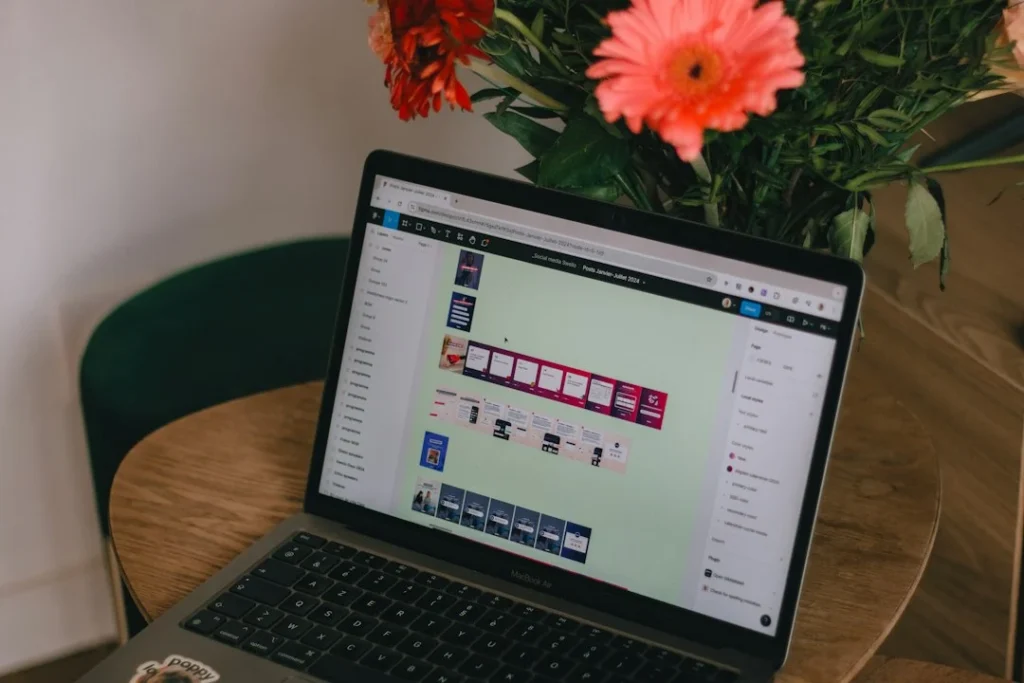
Picking fonts and colors that look professional together can feel intimidating if you do not have a design background. AI color and typography generators analyze your industry and instantly suggest cohesive styling options. You can review a few curated pairs and select the exact mood that fits your brand personality. This removes guesswork and ensures your pages look polished and trustworthy from day one.
How to populate your pages with AI-generated content
Creating engaging homepage copy and service descriptions with AI
Staring at a blinking cursor while trying to write an “About Us” page is nobody’s idea of fun. AI text generators can draft compelling headlines, benefit-driven bullet points, and welcoming introductions in seconds. You simply feed the tool a few key facts about your services, and it crafts professional copy tailored to your readers. Always review the output to make sure it sounds like your authentic voice before hitting publish.
Generating royalty-free imagery and graphics tailored to your niche
Finding the right visual assets often takes longer than building the actual page structure. Integrated AI image generators let you create custom illustrations and photographs that match your exact color palette and subject matter. You can produce unique visuals that elevate your brand without scouring stock photo libraries for hours. This keeps your site looking fresh, original, and entirely tailored to your specific niche.
How to optimize and launch your AI-built WordPress site
Running AI audits for mobile responsiveness and loading speed
A beautiful website does not help much if it breaks on mobile phones or takes ten seconds to load. Modern AI diagnostic plugins scan your newly built pages to check how they render across different screen sizes. They also pinpoint oversized images and bloated scripts so you can fix performance bottlenecks before real visitors arrive. Ensuring a smooth mobile experience keeps bounce rates low and keeps your audience engaged.
Integrating SEO plugins to optimize metadata automatically
Getting discovered on search engines requires careful attention to titles, meta descriptions, and keyword placement. Intelligent SEO plugins can read your page content and automatically generate optimized metadata that appeals to search crawlers. They give you actionable recommendations to improve your visibility without requiring an advanced marketing degree. For those looking to master these optimization techniques alongside modern web tools, exploring structured learning paths like the VELYON Insights – Blog & Knowledge Hub offers practical guidance.
Step-by-Step Implementation
- Install WordPress: Set up a reliable hosting provider and install a clean version of WordPress on your domain.
- Choose an AI tool: Install an AI-powered theme or page builder plugin from your WordPress dashboard.
- Run the site generator: Complete the prompt-based setup wizard by describing your business, goals, and preferred style.
- Refine the layout: Review the generated pages and use text prompts to adjust sections, swap out colors, or rearrange blocks.
- Generate your copy: Use AI writing assistants to polish your headlines, service descriptions, and call-to-action buttons.
- Add custom visuals: Create and insert niche-specific images or graphics using integrated AI generation tools.
- Run an optimization audit: Check your mobile responsiveness and loading speeds using built-in diagnostic features.
- Launch your site: Connect your custom domain, double-check your navigation menu, and publish your new website to the world.
Frequently asked questions
Do I need any programming experience to use AI website builders on WordPress?
No coding or programming knowledge is required whatsoever because the AI handles all the underlying technical work based on your plain-text prompts.
Can I customize the design after the AI builds the initial website?
Yes, you maintain full control to edit, rearrange, or delete any element using standard drag-and-drop page builders or additional AI prompts.
Are AI-generated websites mobile-friendly and responsive?
Most AI WordPress tools automatically format your layout to look great on smartphones, tablets, and desktop computers.
How long does it take to launch a complete WordPress site with AI?
You can go from a blank domain to a fully populated, multi-page website in less than an hour depending on how much content tweaking you want to do.
Next Steps
Pick one AI tool or plugin from this guide, spin up a staging site, and experiment with your first text prompt today. Seeing your layout appear in seconds will change how you approach web design forever.
Photo by Marc Mueller on Unsplash · Photo by Swello on Unsplash
 AI & Tech
 AI & Tech
 AI & Tech
