

WordPress Developer Career Roadmap for Beginners
Master essential skills, build a strong portfolio, and land your first tech job with this practical WordPress developer career roadmap.
 Nitesh Roy
6 min read

Key takeaways
- Follow a clear career roadmap to avoid tutorial hell.
- Learn foundational web languages like HTML, CSS, and basic JavaScript.
- Master PHP syntax to interact with the WordPress core.
- Build custom themes and plugins instead of relying on page builders.
- Showcase your live projects on a public portfolio.
On this page
Following a clear WordPress Developer Career Roadmap for Beginners is the best way to cut through the noise and focus on what actually matters in web development. Instead of getting stuck in tutorial hell, you need a structured path that takes you from total beginner to building fully custom sites. Let us break down the exact skills, tools, and portfolio steps you need to get hired or land freelance clients.
What core technical skills do you need first?
Mastering the foundational languages of the web including HTML, CSS, and basic JavaScript.
Before you touch any content management system, you need to understand how the web works at a baseline level. HTML gives a webpage its structure, CSS makes it look good, and basic JavaScript adds interactive elements like popups and mobile menus. You do not need to be a senior software engineer on day one, but you do need to feel comfortable inspecting web elements in your browser and writing clean, readable stylesheets.
Understanding PHP syntax and how it interacts with the WordPress core and databases.
WordPress is built on PHP, which means you cannot call yourself a true developer without knowing your way around this server-side language. You should learn how variables, arrays, loops, and conditional statements work in PHP. Once you grasp those basics, you will start seeing how WordPress uses PHP functions to pull content, like post titles and user comments, straight out of the MySQL database and display them on your screen.
How should you learn the WordPress CMS architecture?
Diving deep into the WordPress template hierarchy and how theme files load.
One of the most important wordpress developer skills for beginners is mastering the template hierarchy. This is simply the logical rulebook WordPress uses to decide which file in your theme folder should display a specific page type. For instance, it checks for a custom category template before falling back to the generic archive file. Knowing this system inside and out lets you build completely bespoke layouts for every single page type on a website.
Learning how to safely modify and extend functionality using hooks, actions, and filters.
Never edit core WordPress files or raw theme source code directly unless you want your site to break during the next automatic update. Instead, you need to master hooks, which consist of WordPress actions and filters. Actions let you add new code at specific points during page loading, while filters let you intercept and modify data before it gets saved or displayed. If you want to explore modern web building workflows, you can check out the WordPress Vibe Coding & AI Web Development program to see how modern tools speed up this process.
Which development tools make your workflow efficient?
Setting up a local development environment using tools like Local WP or XAMPP.
Writing code directly on a live website is a rookie mistake that will eventually crash a client site and cause a major headache. Instead, professional developers build and test everything offline on their own computers. Tools like Local WP let you spin up a brand new WordPress installation in seconds, giving you a safe sandbox to experiment with themes, plugins, and database changes without risking live traffic.
Using Git for version control to track code changes and collaborate safely.
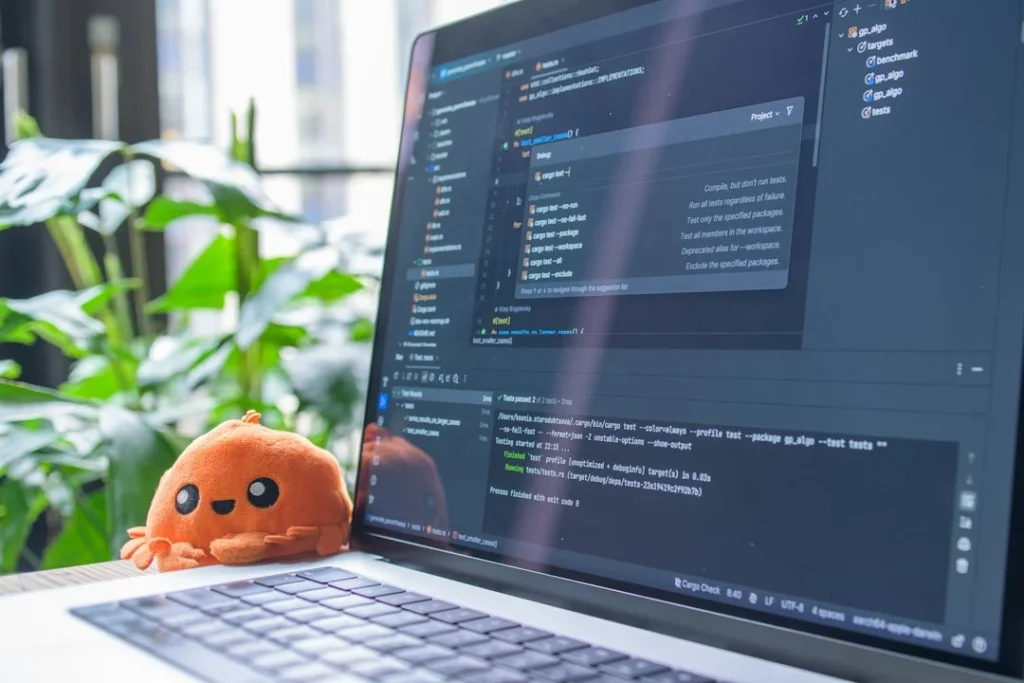
When you start writing custom code, tracking your changes is essential for your sanity. Git lets you take snapshot histories of your project so you can always roll back to a working version if a new script breaks your site. It is also the industry standard for collaboration, allowing multiple developers to work on the same theme or plugin codebase at the same time without overwriting each other’s work.
How do you build a portfolio to prove your expertise?
Creating custom themes and plugins from scratch rather than relying solely on page builders.
Anyone can install a pre-made theme and drag-and-drop some generic elements together. To stand out in the job market, you need to learn wordpress development from scratch and prove you can write custom code. Build a lightweight custom theme using your own HTML, CSS, and PHP files, or code a simple utility plugin that adds a unique feature to the dashboard. Employers and clients want to see that you understand what is happening under the hood.
Hosting live sample projects on a staging server to showcase your capabilities to clients.
Having your code sitting quietly in a local folder on your hard drive will not help you win clients. You need to deploy your projects to a live staging server or cheap web host so anyone can click through them. A live URL demonstrates that you know how to handle domain setups, database configurations, and server migrations from start to finish.
Where can you find your first jobs or freelance clients?
Optimizing your LinkedIn and GitHub profiles to attract recruiters searching for junior developers.
Your online presence is often your first impression in the tech industry. Clean up your LinkedIn headline to state clearly what you do, and pin your best custom WordPress repositories to the top of your GitHub profile. When recruiters search for entry-level talent, having an active profile packed with real code examples makes it much easier for them to trust your abilities.
Leveraging freelance platforms and local networking to land initial website building gigs.
Landing your first paying client often requires a mix of digital hustle and old-fashioned networking. Create profiles on mainstream freelance marketplaces, or reach out directly to local businesses in your area that have outdated, mobile-unfriendly websites. Show them a quick mockup of how you can improve their online presence, and use platforms like Find Freelance Projects to source additional opportunities as you build your confidence.
Step-by-Step Implementation
- Install your local workspace: Download Local WP on your computer and set up a fresh offline WordPress testing environment.
- Learn the web basics: Spend dedicated time practicing HTML, CSS, and core JavaScript fundamentals until you can style basic layouts easily.
- Study core PHP: Understand basic PHP syntax, loops, and functions so you can read and write simple backend code.
- Build a custom theme: Create your very own starter theme from scratch using the official WordPress template hierarchy rules.
- Master hooks: Write custom functions using actions and filters to modify default WordPress behaviors safely.
- Launch a portfolio site: Put your custom projects on a live staging server and link them to your updated GitHub and LinkedIn profiles.
- Apply for opportunities: Start pitching to small local businesses or look for entry-level gigs to build your real-world experience.
Frequently asked questions
How long does it take to learn WordPress development?
Most beginners need around three to six months of consistent daily practice to go from absolute zero to building custom sites. The exact timeline depends on how much time you dedicate to coding and practicing logic.
Do I need to know how to code to become a WordPress developer?
Yes, professional WordPress development requires knowing HTML, CSS, PHP, and JavaScript. While drag-and-drop page builders are popular, true developers write custom code to extend the platform beyond basic limits.
Should I learn Gutenberg block development?
Learning how to build custom blocks using React and the WordPress block editor is extremely valuable. Modern WordPress relies heavily on the block editor, making block developers very attractive to employers.
Is WordPress development still in high demand?
Millions of websites run on WordPress, keeping the demand for skilled custom developers consistently strong. Businesses always need custom features, security updates, and performance optimizations that pre-made templates cannot handle.
Next Steps
Start today by downloading a local development environment and writing your very first line of custom CSS. Keep building small projects, share your code publicly, and take it one step at a time.
Photo by Samuel Bourke on Unsplash · Photo by Daniil Komov on Unsplash
 Careers & Jobs
 Careers & Jobs
 Careers & Jobs
