How to Prepare for an Online Job Interview Successfully
Master virtual interviews with expert tips on tech setups, body language, and digital communication strategies to secure your dream role.
 Nitesh Roy
9 min read
Key takeaways
- Position your webcam at eye level to maintain natural eye contact.
- Test your mic and internet speed twenty minutes before the call starts.
- Wear solid-colored, professional clothing to boost your interview confidence.
- Pin your interview notes right beneath your camera lens to avoid looking down.
- Prepare smart questions about team workflows for the end of the chat.
On this page
Quick Summary
- Mastering remote hiring requires intentional digital setup, professional framing, and structured practice.
- Learn how to test your webcam, mic, and connection before the call starts.
- Discover strategies for body language, professional lighting, and clutter-free backgrounds.
- Understand how to organize digital notes without looking distracted on screen.
Getting ready for a remote hiring chat can feel slightly different than walking into a physical office building, but the core goal remains exactly the same: showing your best professional self. Knowing how to prepare for an online job interview takes away the nervous jitters and lets your actual skills shine through the screen. Let us walk through the exact steps you need to take to turn your next webcam chat into a signed offer.
How to Test Your Technology Before the Interview
Checking webcam positioning and framing to maintain proper eye contact
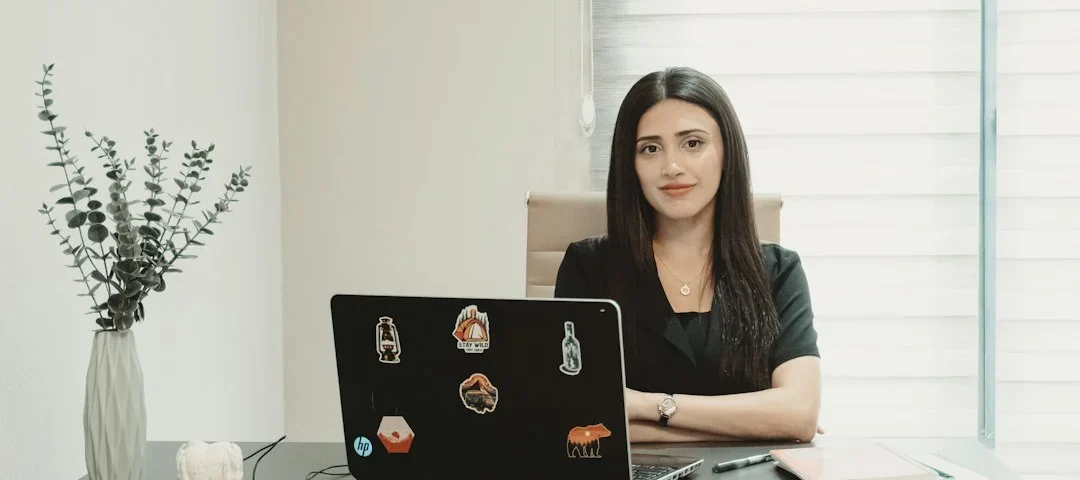
Your camera angle sets the entire tone for your virtual presence. You want your webcam sitting right at eye level so you do not look down at the interviewer or force them to stare up your nose. Prop your laptop up on a stack of books or a stable stand if your desk is too low. Frame your shot so your head and upper chest fill the middle of the frame, leaving a little breathing room above your head.
Testing microphone audio quality and eliminating background noise
Bad audio will kill your chances faster than a clumsy answer. Plug in a dedicated headset or a separate USB microphone if you have one, because built-in laptop mics pick up every fan whir and keyboard click. Do a quick test recording on your computer to check for echo or muffled sound. Find a quiet room, close your windows to block street noise, and let anyone else in your house know you are going live.
Verifying stable internet connection speeds and updating video software
Nothing disrupts a great conversation like a frozen screen or a dropped connection. Run a quick speed test on your browser to make sure your upload and download rates are solid enough for high-definition streaming. Open your video platform—whether that is Zoom, Teams, or Google Meet—at least twenty minutes early to check for pending software updates. Restart your machine right before the call to clear your RAM and prevent random background pop-ups.
How to Design a Professional Background and Environment
Choosing a clean, uncluttered, and neutral physical space
Your background tells the hiring manager a story about how you work. Pick a clean corner with a neutral wall, a neat bookshelf, or a tidy home office setup. Avoid spots with piles of laundry, unmade beds, or chaotic clutter that pulls attention away from your face. If your room is messy and you cannot fix it in time, use a clean virtual background, but keep it simple so it does not glitch around your hair.
Utilizing three-point lighting or natural window light facing your face
Lighting can make a cheap webcam look like professional gear or turn you into a dark shadow. Position yourself facing a window so natural light washes evenly across your face. If you are interviewing in the evening, set up a lamp behind your monitor to light up your features rather than putting a harsh light source behind you. Good lighting instantly makes you look more energetic, alert, and professional.
Removing potential household distractions like pets or family members
Unplanned interruptions happen, but you can prevent most of them with a little planning. Lock your office door, put a friendly sign outside for roommates or family, and make sure your pets are chilling in another room with plenty of toys. Turning your phone on silent and tossing it across the room stops unexpected text vibrations from breaking your focus mid-sentence.
How to Dress Appropriately for a Remote Interview
Dressing professionally from head to toe to boost personal confidence
Even if the hiring manager only sees the top half of your outfit, wear a complete professional uniform. Putting on nice trousers and shoes along with your blazer or button-down tricks your brain into work mode. That full physical preparation changes your posture, your tone of voice, and your overall mental readiness for the conversation.
Avoiding high-contrast patterns that can cause digital camera strobe effects
Web cameras struggle to process busy prints, tight stripes, and aggressive checkerboard patterns. Those fabrics create a distracting visual vibration on screen called a moiré effect that hurts the interviewer’s eyes. Stick to solid colors like navy blue, soft gray, or forest green that complement your skin tone and look clean on camera.
Matching your wardrobe to the specific company culture
Different industries have wildly different expectations when it comes to interview attire. A tech startup might look for smart casual wear, while a corporate law firm or finance company expects full business formal. Research the company’s social media pages and team photos beforehand to see what real employees wear to work every day.
How to Master Virtual Body Language and Eye Contact
Looking directly into the camera lens instead of the screen to simulate eye contact
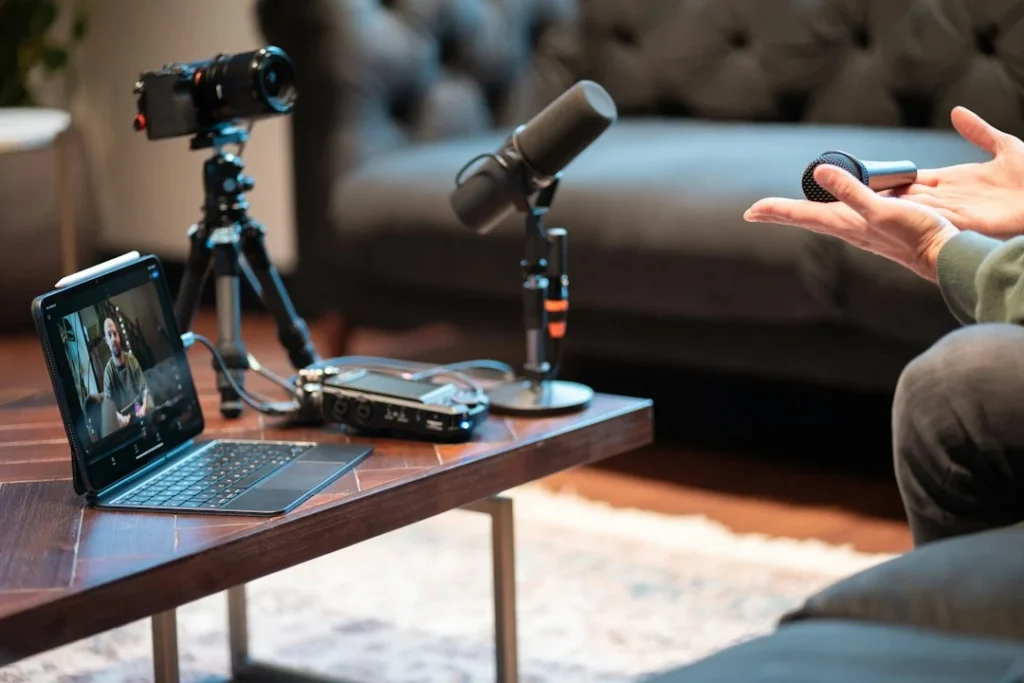
This is the hardest habit to build because your natural instinct is to look at the interviewer’s face on your monitor. When you look at their face, you actually appear to be looking down from their perspective. Force yourself to look right into the camera lens whenever you are making an important point, then glance back down at the screen to read their expressions.
Maintaining an upright, engaged posture throughout the conversation
Slouching in your chair makes you look tired or disinterested, even if you are super excited about the job. Sit all the way back in your chair, keep your spine straight, and lean forward just a fraction toward your desk. That slight forward lean signals active interest and shows the hiring manager you are fully dialed into the conversation.
Nodding and using hand gestures moderately to show active listening
Since body language is harder to read through a screen, you need to exaggerate your natural cues just a little bit. Nod occasionally when the interviewer is explaining a project, and let your hands move naturally within the camera frame when you speak. These small visual movements keep the interaction feeling human and dynamic.
How to Organize Your Digital Cheat Sheets and Notes
Placing sticky notes or digital documents near the camera level to avoid looking down
Virtual interviews give you a secret superpower: the ability to keep notes right in front of you. Open your resume, key project metrics, and company research in a sticky note app pinned right underneath your webcam. That way, you can glance at your talking points without dropping your chin and looking like you are reading a script.
Keeping your resume, portfolio links, and company research easily accessible
Organize your browser tabs before the call so you are not scrambling to find a link when someone asks for a work sample. Keep your portfolio, your LinkedIn profile, and the job description open in a separate window. If you want to back up your skills with real projects, you might even want to browse through resources like our free online portfolio templates to see how professionals organize their digital achievements.
Pin your notes app directly beneath your webcam lens. This simple trick lets you review key talking points quickly while maintaining the illusion of direct eye contact with your interviewer.
Preparing intelligent questions to ask the interviewer at the end
The end of the interview always arrives with that classic question: “Do you have any questions for me?” Never say no. Prepare three or four thoughtful questions about team culture, upcoming company projects, or the specific tools they use. Good questions show you are already picturing yourself on their team and doing your homework.
Step-by-Step Implementation
- Test your setup: Log into your video software twenty minutes early to check your camera framing, mic volume, and Wi-Fi stability.
- Clean your space: Clear away clutter from your background and make sure your lighting illuminates your face without harsh shadows.
- Dress the part: Put on a solid-colored, professional outfit from head to toe to get your mindset locked into interview mode.
- Position your notes: Open your resume and key research in sticky windows right next to your webcam lens for easy glancing.
- Check your posture: Sit straight, push your shoulders back, and practice looking directly into the camera lens when you speak.
- Silence distractions: Put your phone on silent, close unrelated browser tabs, and let family members know you are on a live call.
- Ask smart questions: Keep a short list of specific questions about the team and their workflow ready for the end of the chat.
Frequently Asked Questions
What should I do if my internet disconnects during the interview?
Take a deep breath and do not panic because technical glitches happen to everyone. Try reconnecting immediately through your video link or phone data hotspot. If it takes more than two minutes, send a quick, calm email to your interviewer explaining the drop and letting them know you are trying to reconnect.
Is it okay to use virtual backgrounds?
Yes, virtual backgrounds are completely fine if your physical room is messy or loud. Just make sure you choose a clean, neutral office or plain wall instead of a distracting beach or cartoon landscape. Test the background beforehand to ensure your hair and shoulders do not glitch out on camera.
How early should I log into the video interview room?
Log into the waiting room or virtual meeting space about five to seven minutes before the scheduled start time. Joining any earlier might catch the interviewer off guard if they are finishing up another call, while joining late makes you look unorganized.
Should I look at the interviewer’s face or the camera?
Split your time between both to keep a natural rhythm. Look at the camera lens when you are making your main points so the interviewer feels like you are looking them in the eye. Look at their face on the screen when they are talking so you can catch their nods and smiles.
Next Steps
Now that you know how to prepare for an online job interview, put these steps into practice before your next application. Clean your workspace, run a tech check, and organize your digital notes. When you are ready to find new remote opportunities, explore verified remote job listings to start applying your skills today.
Photo by Zulfugar Karimov on Unsplash · Photo by Detail .co on Unsplash
 Interview Prep
 Interview Prep
 Interview Prep