
Common Online Interview Mistakes and How to Avoid Them
Fix virtual interview errors fast. Discover common online interview mistakes and how to avoid them to impress employers and secure your next job.
 Nitesh Roy
8 min read
Key takeaways
- Test your internet and camera angle before the call.
- Look directly into the webcam lens during conversations.
- Clear all clutter and background noise from your room.
- Dress fully in professional attire from head to toe.
On this page
Quick Summary
- Discover the most frequent technical, postural, and behavioral errors that ruin online job interviews.
- Learn actionable solutions to fix your setup, camera presence, and background before your next call.
- Understand how to avoid hidden traps like unscripted cheat sheets and improper digital etiquette.
- Improve your overall confidence and leave a lasting positive impression during virtual hiring rounds.
Preparing for a remote job evaluation takes more than just knowing your resume inside out. When you sit down in front of your monitor, tiny details like poor lighting or distracting backgrounds can completely shift the hiring manager’s perception of you. Let us walk through the most common online interview mistakes and how to avoid them so you can put your best foot forward.
Why Do Technical Glitches Derail Virtual Interviews?
Failing to test internet bandwidth and webcam positioning beforehand
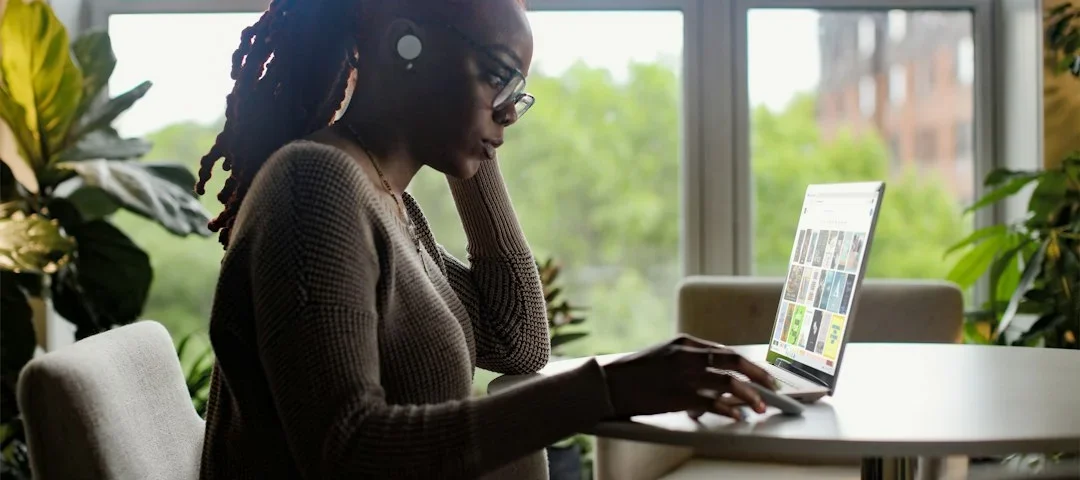
Nothing kills the momentum of a great conversation quite like a frozen screen or a choppy audio feed. When your video lags, the hiring manager misses your enthusiasm, and the entire flow of the interview becomes awkward. It is always smart to run a speed test and check your camera angle at least an hour before the meeting starts. Make sure your face is centered and the lighting is bright enough for them to see your expressions clearly.
Neglecting to close background applications that cause lagging or notifications
We have all been there: you are in the middle of explaining a complex project when suddenly a loud ping echoes through your speakers. Chat apps, email notifications, and background browser updates do not just steal your computer’s processing power; they break your focus. Take two minutes to shut down every unnecessary program on your desktop. This simple habit ensures your video software runs smoothly and keeps those embarrassing pop-up banners off your screen.
How Does Poor Body Language Affect Your Remote Presence?
Looking at the screen instead of directly into the camera lens during conversations
It feels completely natural to look at the interviewer’s face on your monitor while you speak. However, doing so actually makes it look like you are staring downward or avoiding eye contact entirely. To create a genuine sense of connection, you need to gaze right into your webcam lens when delivering important points. It takes some practice, but this minor adjustment tricks the human brain into feeling like you are making direct eye contact.
Slouching or appearing overly relaxed in a home environment
Working from home makes it tempting to sink into your favorite armchair or slouch while answering questions. Unfortunately, slumped shoulders signal a lack of energy and professionalism to someone watching through a video feed. Sit up straight, keep your feet flat on the floor, and lean slightly toward the desk. This posture naturally projects confidence and shows that you take the opportunity seriously, even if you are sitting in your living room.
What Makes a Home Background Distracting?
Cluttered rooms or inappropriate items visible in the camera frame
Your background speaks volumes about your organizational skills before you even say a word. Piles of laundry, unmade beds, or chaotic bookshelves pull the interviewer’s focus away from your professional qualifications. Take a panoramic look around your camera frame and remove any clutter. If your workspace lacks a clean backdrop, consider using a simple, professional virtual background or setting up your desk against a bare wall.
Uncontrolled ambient noise from family members, pets, or street traffic
Unexpected noises happen to everyone, but failing to manage them can make you look unprepared. Barking dogs, rumbling delivery trucks, and chatty roommates can instantly drown out your answers. Find a quiet room, close all doors and windows, and let people in your household know when you are hopping on a call. Using a headset with a directional microphone can also filter out minor room echoes and background hums.
Are You Over-relying on Hidden Cheat Sheets?
Reading directly from unscripted notes posted on the monitor

It is tempting to plaster sticky notes all over your screen with answers, bullet points, and key achievements. The problem is that your eyes dart back and forth across the text, and your voice adopts a monotone, robotic cadence. Interviewers can spot this instantly because your natural blinking and gaze patterns change. Instead of writing out full scripts, jot down a few high-level keywords to jog your memory so you can speak freely.
Typing loudly on a keyboard while attempting to look engaged
Some candidates try to look up information or take extensive notes on their keyboard while the hiring manager is talking. The loud clacking of mechanical keys carries right through most microphones and sounds incredibly rude. If you really need to write something down, keep a traditional pen and paper nearby. This keeps your hands off the keyboard and ensures you remain visually engaged in the conversation.
How to Handle Attire and First Impressions in Digital Spaces
Dressing professionally only from the waist up while ignoring footwear and overall grooming
The “business on top, pajamas on the bottom” trick sounds harmless until you have to stand up unexpectedly to grab a charger or close a door. Dressing fully from head to toe shifts your psychological state into work mode. When you are fully dressed, you naturally carry yourself with more poise and confidence. Complete grooming and professional attire remind your brain that this is a formal business meeting.
Joining the virtual room too early or rushing in seconds before the start time
Showing up fifteen minutes early might sound enthusiastic, but it often interrupts the interviewer who is finishing up a previous call. On the flip side, logging in thirty seconds late because your microphone wasn’t working creates instant stress. Aim to click the meeting link roughly three to five minutes before the scheduled start time. This gives you a brief cushion to settle in and breathe without catching anyone off guard.
Step-by-Step Implementation
- Do this: Audit your physical environment and clean up your camera frame at least one day before the interview. Clearing away clutter removes last-minute anxiety and lets you focus entirely on your preparation.
- Do this: Run a complete hardware test using your video software to check your microphone, speakers, and webcam clarity. Identifying audio glitches early gives you enough time to switch devices if needed.
- Do this: Practice speaking directly into your webcam lens while answering common interview questions out loud. Training your eyes to find the lens creates the illusion of direct eye contact for the hiring team.
- Do this: Organize your desktop by closing all background tabs, messaging apps, and email notifications. A clean desktop prevents unexpected pop-ups from breaking your train of thought.
- Do this: Lay out your complete professional outfit the night before to ensure everything is clean and ready. Getting fully dressed helps you step into the right mindset for career advancement opportunities.
- Do this: Prepare a notepad and pen for quick jotting instead of relying on digital documents. This keeps your hands away from noisy keyboards and maintains your active listening posture.
- Do this: Log into the virtual meeting room three to five minutes prior to the scheduled start time. Joining right on time shows respect for the interviewer’s busy schedule while keeping you calm.
Frequently Asked Questions
What should I do if my internet disconnects during a video interview?
Do not panic if your connection drops suddenly. Reconnect as quickly as possible, apologize briefly for the technical hiccup, and smoothly pick up where you left off. Interviewers understand that technology can be unpredictable, and they care much more about how calmly you handle the situation.
Is it okay to use virtual backgrounds during a remote job interview?
Using a virtual background is totally fine if your real room is cluttered or lacks privacy. Just make sure you pick a clean, neutral, and professional image. Avoid flashy, animated backgrounds that distract from your face or blur around your hair and shoulders.
How can I make sure my lighting looks professional on camera?
Face a natural light source like a window if possible, or place a soft lamp directly behind your webcam. Avoid sitting with a bright window behind you, because backlighting turns your face into a dark silhouette that is impossible for the hiring manager to read.
What is the best way to practice for a virtual interview?
Set up your video conferencing tool, record yourself answering common questions, and play the video back. Watch your eye contact, listen to your pacing, and check your posture. While preparing, you can also explore VELYON Insights – Blog & Knowledge Hub to pick up more practical career and interview guides.
Next Steps
Put these virtual interview tips into practice right away by setting up a mock video call with a friend. Review your setup, check your camera angles, and refine your body language so your next online interview feels completely natural.
Photo by Surface on Unsplash · Photo by Ashish Kushwaha on Unsplash
 Interview Prep
 Interview Prep
 Interview Prep