

Generative AI Projects for Students: 5 Practical Ideas
 Nitesh Roy
11 min read
Nitesh Roy
11 min read

Key takeaways
- Build practical projects to turn theory into skills.
- Use RAG to ground chat answers in your own notes.
- Deploy web interfaces quickly with Streamlit or Gradio.
- Write a clear README file for your GitHub repository.
- Showcase live app demos to impress tech recruiters.
On this page
Quick Summary
- Discover five practical generative AI projects for students to build technical skills and enhance portfolios.
- Learn how to construct study assistant chatbots, research summarizers, flashcard generators, and content copilots.
- Understand how to showcase your finished projects effectively to tech recruiters and hiring managers.
Building real-world applications is the fastest way to turn abstract machine learning concepts into actual skills. If you want to stand out in a crowded tech job market, theory alone will not cut it. Working on hands-on generative AI projects gives you concrete code to show off and real problems to solve.
Why build generative AI projects during your studies?
Translating theoretical machine learning concepts into working applications
Classroom lectures teach you how transformer architectures work on a whiteboard, but building things forces you to confront messy real-world data. When you have to handle rate limits, format JSON responses from unpredictable language models, and debug API errors, your understanding deepens in a way textbook reading cannot match. You stop memorizing definitions and start thinking like a builder.
Working through these hurdles bridges the gap between academic theory and practical software engineering. Every bug you squash teaches you something new about how modern foundation internship programs prepare developers for industry challenges. You start to see patterns in how large models fail and how to design guardrails around them.
Building a standout portfolio that impresses tech recruiters and hiring managers
Recruiters look at dozens of resumes every single day, and most of them list the exact same coursework and standard Python projects. Having live, working applications in your free online portfolio instantly sets you apart from other applicants. It proves you have the initiative to build things independently and take them from an idea to a deployed web app.
When you can walk an interviewer through the architecture of an app you built yourself, the dynamic of the conversation changes completely. Instead of guessing your competence, they can click a link and test your software right on their phone. That tangible proof of your abilities is worth more than any grade on a transcript.
Gaining hands-on familiarity with popular LLM APIs and prompt engineering frameworks
The artificial intelligence landscape moves way too fast for traditional curriculum updates to keep up. By building your own software, you get direct, daily experience with the exact APIs and tools that companies use right now. You learn how to structure system prompts, manage chat memory, and chain multiple model calls together to accomplish complex tasks.
This kind of practical fluency helps you adapt quickly when new models drop or developer tools change. You stop relying on rigid tutorials and develop the confidence to read documentation and figure things out on your own. That self-reliance is the single most valuable trait you can develop during your student years.
Project 1: Build a personal study assistant chatbot
Using retrieval-augmented generation (RAG) to ground answers in lecture notes
Standard language models often hallucinate facts when asked about niche academic topics they have never seen before. By setting up a retrieval-augmented generation pipeline, you let the model search through your actual PDF lecture notes before answering. This grounds the responses in your course materials and ensures you get accurate study help.
Always chunk your text documents into smaller overlapping segments before generating vector embeddings for better search retrieval accuracy.
You will need a vector database like Chroma or FAISS to store your text embeddings locally. When you ask a question, your code searches the database for the most relevant paragraphs and feeds them to the model as context. It is a fantastic way to understand how modern search and generation systems work together under the hood.
Integrating OpenAI or open-source LLMs via API with a simple Python interface
Writing a clean Python script to talk to an LLM API teaches you the fundamentals of asynchronous requests and error handling. You can start with commercial APIs like OpenAI or Anthropic, and later swap them out for open-source alternatives running locally via Ollama. Keeping your API logic modular makes your codebase much easier to maintain and test.
Managing API keys securely using environment variables is another great professional habit to pick up early. You definitely do not want to accidentally push your secret keys to a public GitHub repository. Building these safe development practices into your student projects prepares you for collaborative team environments later on.
Designing an interactive user interface using Streamlit or Gradio
Nobody wants to run scripts from a command-line interface just to test a chatbot. Frameworks like Streamlit and Gradio let you spin up gorgeous web interfaces using purely Python code in just a few minutes. You can add sliders for temperature, text boxes for prompts, and chat history containers with almost zero frontend experience.
Adding a friendly interface turns your backend script into a product that other people can actually use and enjoy. Sharing a clean web link with your classmates lets them test your study assistant and give you feedback on what to improve next.
Project 2: Create an automated research summarizer
Extracting text from lengthy PDF academic papers automatically
Academic papers are notoriously dense, long, and full of formatting quirks that break standard text scrapers. Writing a Python script using libraries like PyPDF or pdfplumber teaches you how to clean messy extracted text. You have to deal with multi-column layouts, footnotes, and headers that sneak into the middle of your paragraphs.
Once you figure out how to parse research papers cleanly, you unlock the ability to process large volumes of reading material in seconds. This foundational data-cleaning skill applies to all kinds of text processing and natural language processing tasks.
Writing structured prompts to generate concise abstracts, key findings, and bullet points
Getting a generic summary from an AI is easy, but getting structured, highly useful academic notes takes careful prompt design. You can use few-shot prompting techniques to instruct the model to output specific sections like methodology, limitations, and future work. Testing different prompt variations shows you firsthand how slight wording changes affect model behavior.
You can also experiment with JSON mode or function calling to force the model into returning strictly formatted data structures. This makes it much easier to pipe the summary output into other tools and databases automatically.
Exporting summaries into Notion or markdown formats for easy studying
An AI-generated summary is only helpful if you can actually find and review it later when exam season rolls around. You can extend your Python script to automatically generate clean markdown files or push the content directly into Notion via its API. Building a complete workflow from raw PDF to organized study notes gives you a fully functional productivity tool.
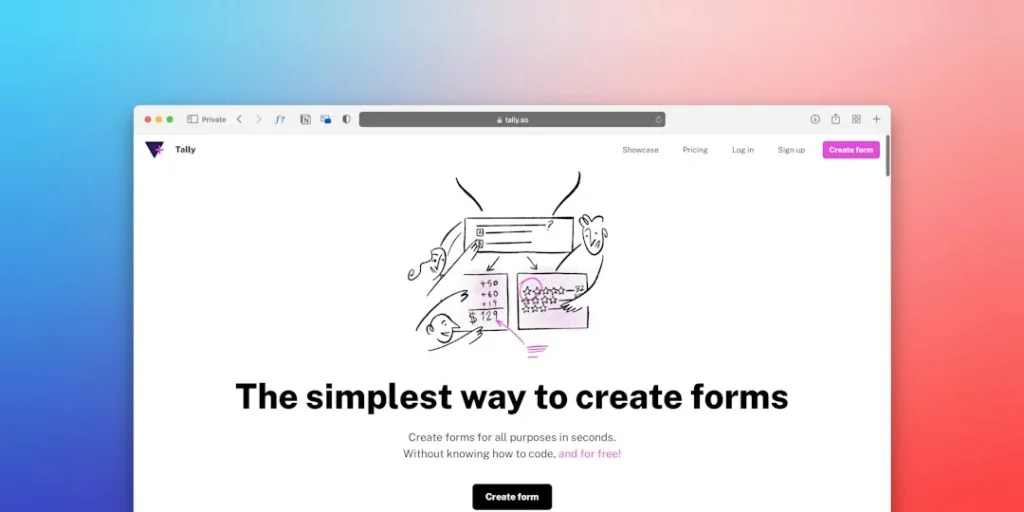
Automating your personal workflow like this is deeply satisfying and saves you hours of manual copying and pasting. It also teaches you how to connect multiple third-party APIs together into a cohesive pipeline.
Project 3: Develop a multilingual flashcard generator
Leveraging generative AI to parse vocabulary and concepts from foreign text
Learning a new language or studying complex technical definitions requires constant flashcard creation. You can build an app that takes a foreign language article or textbook chapter and automatically extracts key vocabulary and difficult concepts. The model identifies words you likely do not know and generates contextual definitions and example sentences.
This project helps you understand how to use language models for linguistic tasks like tokenization analysis and contextual translation. It moves far beyond simple word-for-word translation tools.
Formatting outputs into CSV or Anki-compatible import files
Manually typing hundreds of flashcards into a study app is tedious and burns valuable study time. Your application can take the extracted vocabulary and format it directly into a clean CSV file or an Anki deck package. Users can download the file with one click and import it straight into their preferred spaced repetition software.
Writing code that generates properly formatted file structures teaches you about data schemas and file encoding standards. It is a practical utility that solves a real everyday problem for students.
Adding automated audio pronunciation using text-to-speech APIs
Listening comprehension is just as important as reading when you are learning a new language. You can integrate a text-to-speech API to generate natural-sounding audio files for the front and back of every flashcard. Packaging these audio files alongside your flashcard data creates a multimedia study kit.
Combining text generation and audio synthesis APIs in a single project gives you a taste of multimodal application development. It shows you how different AI modalities can work together in a single user experience.
Project 4: Design a creative content writing copilot
Building multi-step prompt chains to brainstorm, outline, and draft blog posts
Single prompts rarely produce a complete, ready-to-publish long-form article on the first try. A better approach is to build a prompt chain where the output of step one feeds into step two. Your app first brainstorms angles, then expands the winning idea into an outline, and finally drafts each section one by one.
Chain-of-thought workflows help you manage token limits and keep the model focused on producing high-quality output step by step. It is an advanced prompt engineering technique that mimics how human writers plan and execute large projects.
Implementing tone-of-voice constraints to maintain consistent writing styles
Unconstrained language models tend to write in a very generic, overly enthusiastic corporate tone that readers instantly spot. By passing stylistic guidelines, example excerpts, and negative constraints in your system prompt, you can force the model to adopt a specific voice. You can build presets for casual, academic, or punchy technical writing styles.
Fine-tuning the personality of your AI copilot teaches you how subtle prompt adjustments shape the final character of generated text. It is a vital skill for anyone building content creation tools.
Adding a feedback loop to refine output iteratively based on user edits
A great writing copilot does not just generate text and walk away; it collaborates with the user. You can add a revision feature where users highlight a paragraph and type instructions like make this shorter or add more technical detail. Your script then updates just that specific section while keeping the rest of the document intact.
Designing this kind of interactive editing loop introduces you to state management in web applications. It transforms your project from a simple one-shot generator into a genuine productivity partner.
Step-by-Step Implementation
- Pick your project idea: Choose one of the four projects above that genuinely matches your personal interests and current skill level.
- Set up your development environment: Initialize a new Git repository, create a virtual environment, and install essential libraries like Python-dotenv and requests.
- Obtain your API keys: Sign up for developer accounts with your chosen LLM providers and store your keys safely in a local environment file.
- Build the core backend logic: Write clean Python scripts to handle user input, call the model API, and parse the resulting responses correctly.
- Add a web interface: Wrap your backend functions inside a simple Streamlit or Gradio app so you can interact with it visually in your browser.
- Test with edge cases: Feed your app messy inputs, long documents, and weird requests to see where it breaks and add error handling.
- Deploy your application: Push your code to GitHub and deploy the live web app to a free hosting tier like Streamlit Community Cloud or Hugging Face Spaces.
- Document your work: Write a clear README file explaining how to run your project and what you learned while building it.
Frequently Asked Questions
Do I need advanced machine learning math to build these projects?
Not at all. Most modern generative AI projects rely on high-level APIs and Python libraries rather than training neural networks from scratch. Basic programming logic and curiosity are much more important than heavy calculus.
Which programming language should I use for these projects?
Python is the absolute gold standard for AI development because of its massive ecosystem of libraries, tutorials, and API wrappers. Almost every major LLM provider offers official Python SDKs that make integration very straightforward.
How much will building and testing these AI applications cost?
You can build all of these projects on a strict student budget by taking advantage of free developer tiers and low-cost API pay-as-you-go pricing. Most development testing uses very few tokens, keeping total costs under a few dollars.
Can I include these student projects on my resume?
Absolutely. Tech recruiters love seeing working code, live demo links, and GitHub repositories far more than a simple list of completed coursework. Real projects prove you can build things independently.
Next Steps
Pick just one project from this list that excites you and write your first lines of code today. Deploy your prototype online and share it with a classmate to get your feedback loop started.
Photo by Brecht Corbeel on Unsplash · Photo by Team Nocoloco on Unsplash
 Freelancing & Projects
 Freelancing & Projects
 Freelancing & Projects