

How to Create a Professional Online Portfolio for Free
 Nitesh Roy
10 min read
Nitesh Roy
10 min read
Key takeaways
- Choose a free platform that fits your skill set and project type.
- Focus on quality by highlighting your top 3 to 4 strongest projects.
- Write detailed case studies explaining your problem-solving process.
- Keep your web design clean with consistent typography and whitespace.
- Test your portfolio on mobile devices before sharing it publicly.
On this page
Quick Summary
- Learn how to create a professional online portfolio for free using accessible website builders and simple design steps.
- Compare top free platforms like Notion, Carrd, and GitHub Pages to find the right fit for your skills.
- Structure essential pages and write compelling case studies that highlight your actual problem-solving process.
- Drive traffic to your new site through basic on-page SEO and strategic professional networking.
You do not need a massive budget or coding skills to put your work online. Having a central hub for your projects is one of the best ways to show clients and employers what you can actually do. Let us walk through how to build a clean site without spending any money.
Which free portfolio platform should you choose?
Compare popular free tiers of platforms like Notion, Carrd, GitHub Pages, and Behance.
Picking the right tool depends entirely on what kind of work you make and how much time you want to spend setting it up. If you write or code, your needs will look very different from a visual designer’s needs. Notion is fantastic for text-heavy portfolios and organizing documents cleanly. Carrd gives you gorgeous one-page layouts that look modern right out of the box with very little effort. GitHub Pages is the gold standard if you want to showcase web development projects using raw code. Meanwhile, Behance remains a classic choice for illustrators and designers who want instant access to a built-in creative community.
Most beginners waste hours agonizing over which tool to pick instead of just starting. My advice is to choose the simplest option that fits your primary medium and stick with it. You can always migrate to a different platform later once you have more content ready. The goal right now is simply to get your work live on the internet.
Evaluate custom domain limitations and bandwidth restrictions on free plans.
Free tiers come with a few catches you should know about before you start building. Platforms usually host your site on a subdomain, meaning your web address will look something like yourname.carrd.co instead of a clean yourname.com. While upgrading to a custom domain costs a small yearly fee, the free subdomains work surprisingly well for early career professionals. You also need to keep an eye on bandwidth or storage limits, especially if you plan to upload massive video files or high-resolution images.
To avoid hitting storage limits, compress your images and host your heavy video files externally on YouTube or Vimeo. This keeps your free portfolio fast and responsive for anyone visiting your link. Remember that a fast-loading page makes a much better impression than an uncompressed, sluggish design.
What essential pages must your portfolio include?
Structure a high-impact homepage that immediately communicates your value proposition.
Your homepage is the digital front door to your professional identity. When a recruiter or potential client lands on your site, they should know within three seconds what you do and who you help. Start with a clear headline that states your role and your core skill set. Follow this up with a short paragraph and a direct invitation to view your best projects. Avoid vague, confusing buzzwords and keep the language straightforward.
Clarity beats cleverness every single time when it comes to web design. If people have to hunt around to figure out what services you offer, they will simply close the tab. Keep your navigation menu minimal with just a few links like Home, Projects, About, and Contact.
Design a dedicated ‘About Me’ page that balances professional background with personality.
People hire people, not robots. Your ‘About Me’ page is where you can show a bit of human character while backing it up with your professional credentials. Share your career journey, the tools you love using, and what motivates you to do your work. You can also mention your training background or highlight how you developed your craft. If you have earned credentials through programs like foundation internship programs, this is a great spot to mention them.
Keep the tone warm and conversational rather than reading like a dry resume. Break up long paragraphs with bullet points or subheadings to make the page easy to scan. Adding a professional yet approachable photo of yourself helps build immediate trust with visitors who have never met you in person.
How to select and showcase your best projects
Focus on quality over quantity by highlighting your top 3 to 4 strongest pieces of work.
A common mistake is cramming every single thing you have ever made onto your website. Resist the urge to show off ten mediocre projects just to look busy. Curate your collection down to your absolute best three or four pieces. Employers and clients would much rather see a few exceptional projects executed with care than a messy gallery of unfinished drafts.
Make sure your strongest project sits right at the top of your portfolio grid where eyes naturally wander first. Each piece should have a clear thumbnail image, a catchy title, and a one-sentence summary explaining its core purpose.
Write compelling case studies that explain the problem, your process, and the final result.
Showing a final screenshot is nice, but explaining how you got there is what actually wins people over. Treat every project like a mini story that guides the reader through your thinking. Start by defining the core problem or challenge you were trying to solve. Next, walk through your step-by-step process, including the mistakes you made and how you adjusted. Finally, reveal the final outcome and any measurable results or feedback you received.
If your work involved research, wireframing, or drafting multiple iterations, include those intermediate steps. People love seeing behind the scenes because it proves you have a reliable, thoughtful workflow.
How to design a clean, distraction-free layout
Maintain consistent typography, color schemes, and whitespace to keep the focus on your work.

Good web design usually gets out of the way and lets the content shine. Stick to a simple color palette of two or three neutral tones with one accent color for buttons and links. Pick one readable font for your body text and maybe a slightly bolder font for your headings. Do not crowd your page with too many visual elements, and use plenty of whitespace to give your content breathing room.
White space is not wasted space. Giving your images and text room to breathe makes your portfolio look instantly more expensive and easier to read.
Consistency is the secret sauce of professional-looking websites. Make sure your button styles, heading sizes, and image borders look uniform across every single page of your site.
Ensure your layout is fully responsive and looks polished on mobile devices.
Many recruiters and clients will check out your site on their phones while commuting or taking a break. If your layout breaks on smaller screens, you risk losing their attention instantly. Most modern free builders handle mobile responsiveness automatically, but you should always preview your site on a smartphone before sharing it publicly.
Check that your text is large enough to read without pinching and zooming. Make sure your links and buttons are spaced far enough apart so people can tap them easily with their thumbs.
How to drive traffic and visibility to your new portfolio
Optimize your portfolio pages with basic on-page SEO elements like title tags and alt text.
You want people to find your site organically when they search for relevant skills online. Write descriptive page titles that include your name and your primary professional focus. Add meaningful alt text to all your project images so search engines understand what is in the pictures. These tiny tweaks take very little time but make a huge difference in your online visibility.
Keep your URL slugs clean and short, using hyphens to separate words instead of random numbers or symbols. A neat URL looks much more professional when shared across social media or messaging apps.
Share your portfolio link across LinkedIn, GitHub, and professional networking communities.
Building a great site is only half the battle; now you have to get people to look at it. Update your social media profiles and professional networks to feature your new web address prominently. Share a short post explaining a project you just completed and what you learned during the process. You can also showcase your finished site on your free online portfolio dashboard to share your progress with peers.
Engage genuinely in online communities related to your industry by offering helpful advice and sharing your insights. When people see that you know your stuff, they will naturally click over to your portfolio to learn more about you.
Step-by-Step Implementation
- Choose your platform: Select a free website builder like Notion, Carrd, or GitHub Pages that matches your technical comfort level and project style.
- Draft your content: Write your homepage headline, your about me story, and notes for your top three projects in a separate document first.
- Gather your assets: Export clean, compressed images and screenshots of your best work so your site loads quickly and smoothly.
- Build the homepage: Set up your main landing page with a clear value proposition, your name, and direct links to your featured projects.
- Add detailed case studies: Write out the problem, your process, and the final results for each of your selected projects in dedicated sub-pages.
- Refine the design: Check your typography, color scheme, and whitespace to ensure a clean, distraction-free reading experience.
- Test on mobile: Open your new site on your smartphone to make sure the layout looks polished and functions correctly on smaller screens.
- Share and promote: Update your social media bios with your new link and share your work across professional networks to start driving traffic.
Frequently Asked Questions
Do I need to know how to code to build a free portfolio?
Not at all. Most modern free builders use drag-and-drop interfaces or simple block-based editors that require zero coding knowledge to create a stunning site.
Can I use my own custom domain on a free plan?
Most free plans give you a branded subdomain like yourname.platform.com. While you usually have to pay a small fee to connect a custom domain, the free subdomain is plenty for starting out.
How many projects should I include on my portfolio?
Focus on quality over quantity by featuring your top 3 to 4 strongest pieces of work. It is much better to show a few exceptional projects than a long list of mediocre ones.
How often should I update my online portfolio?
You should review your portfolio every few months to swap out older projects for newer, more polished work as your skills continue to grow and evolve.
Next Steps
Take the first step today by listing out your top three projects and choosing a free platform that fits your style. Keep your layout clean, your copy clear, and your best work right at the top where everyone can see it.
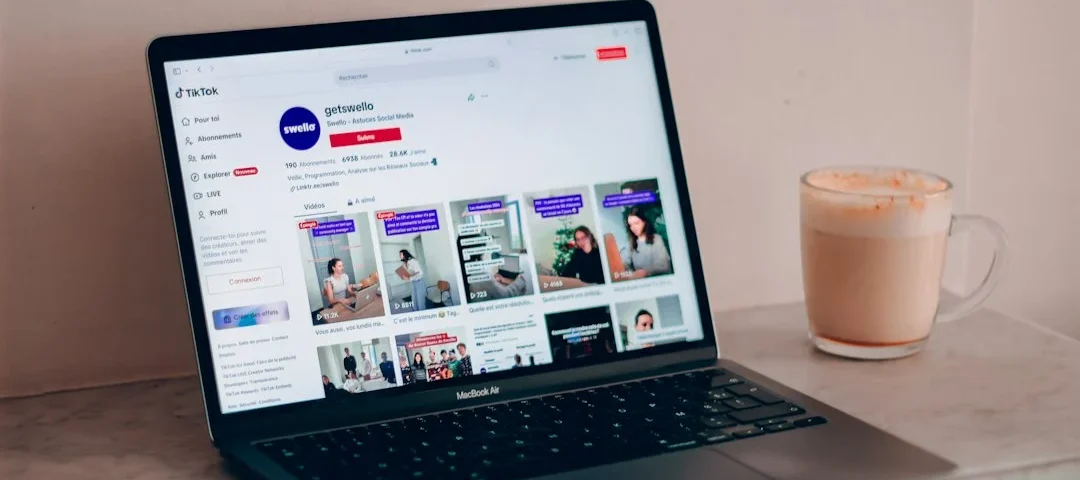
Photo by Swello on Unsplash · Photo by Vitaly Gariev on Unsplash
Build your career with VELYON
Related reading
 Resume & PortfolioHow to Showcase Analytical Thinking in Marketing Projects7 min read · October 22, 2026
 Resume & PortfolioHow to Present Keyword Research in a Portfolio Project6 min read · October 22, 2026
 Resume & PortfolioHow to Document a Digital Marketing Experiment in a Portfolio8 min read · October 22, 2026